Printer Test Pages You Can Print and Actually Interpret
Print a controlled test sheet for color, text, alignment, grayscale, inkjet or laser output, then use the matching guidance to decide what the result suggests. The pages are diagnostic aids, not replacements for your printer's built-in reports or model manual.
Which Test Should You Print First?
Use the visible symptom to choose a test. A printed pattern can narrow the possibilities, but the same symptom can have more than one cause, so the next step should confirm rather than assume.
Start with the Color Printer Test Page
Useful for missing colors, strong tints, weak saturation and broad color-output checks.
Open Color TestAfter printing, use the symptom guide before running repeated cleaning or replacing parts.
Choose a Printer Test Page
Each sheet exercises a different part of the printing process. Use the general color sheet for an overview, or choose a more focused pattern when you already know the symptom.
Read the Printed Result Before You Fix Anything
These guides separate inkjet and laser symptoms and give you a safer next check instead of treating one visible defect as proof of one cause.
What a Test Page Can — and Cannot — Tell You
A controlled page is useful because it gives you known shapes, colors and line widths to compare. It can show that a color-oriented area is weak, that fine lines are breaking, that a grid is skewed, that a gray ramp loses separation, or that a mark repeats down the page. Those observations are stronger than judging a random photo.
The printed symptom is still evidence, not a final diagnosis. Missing cyan on an inkjet may come from a nozzle, cartridge, tank/ink-supply path, venting issue or settings. A light band on a laser page may involve toner distribution, the imaging system, paper or another component. We use cautious language for that reason and point model-specific maintenance back to official manufacturer documentation.
Photographed Print Examples
These uploaded print examples show the visible symptom first. The linked guides explain what to check next without treating one photograph as proof of one failed component.
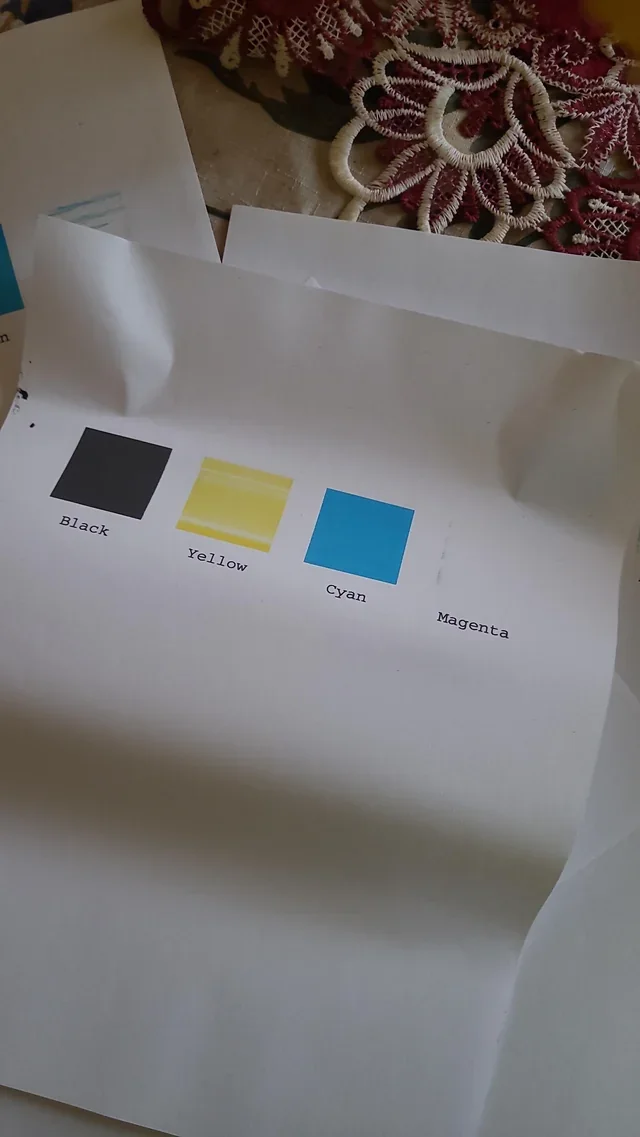
Compare color-oriented reference areas, then use the printer's own diagnostic report before deciding whether the cause is supply, nozzle/ink delivery, toner/imaging, settings or something else.
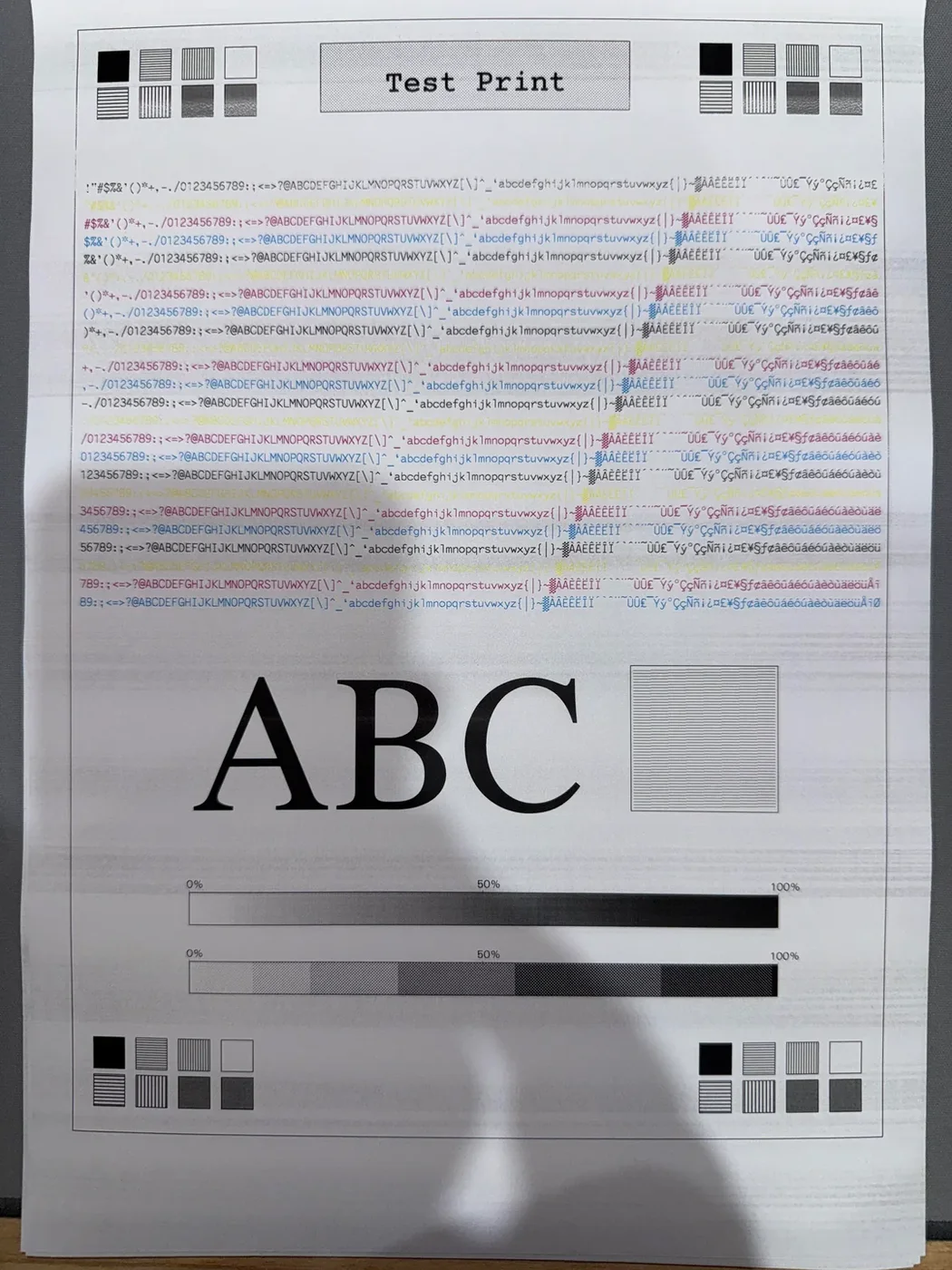
Direction and repetition help separate nozzle, feed, quality-mode and laser-related possibilities.
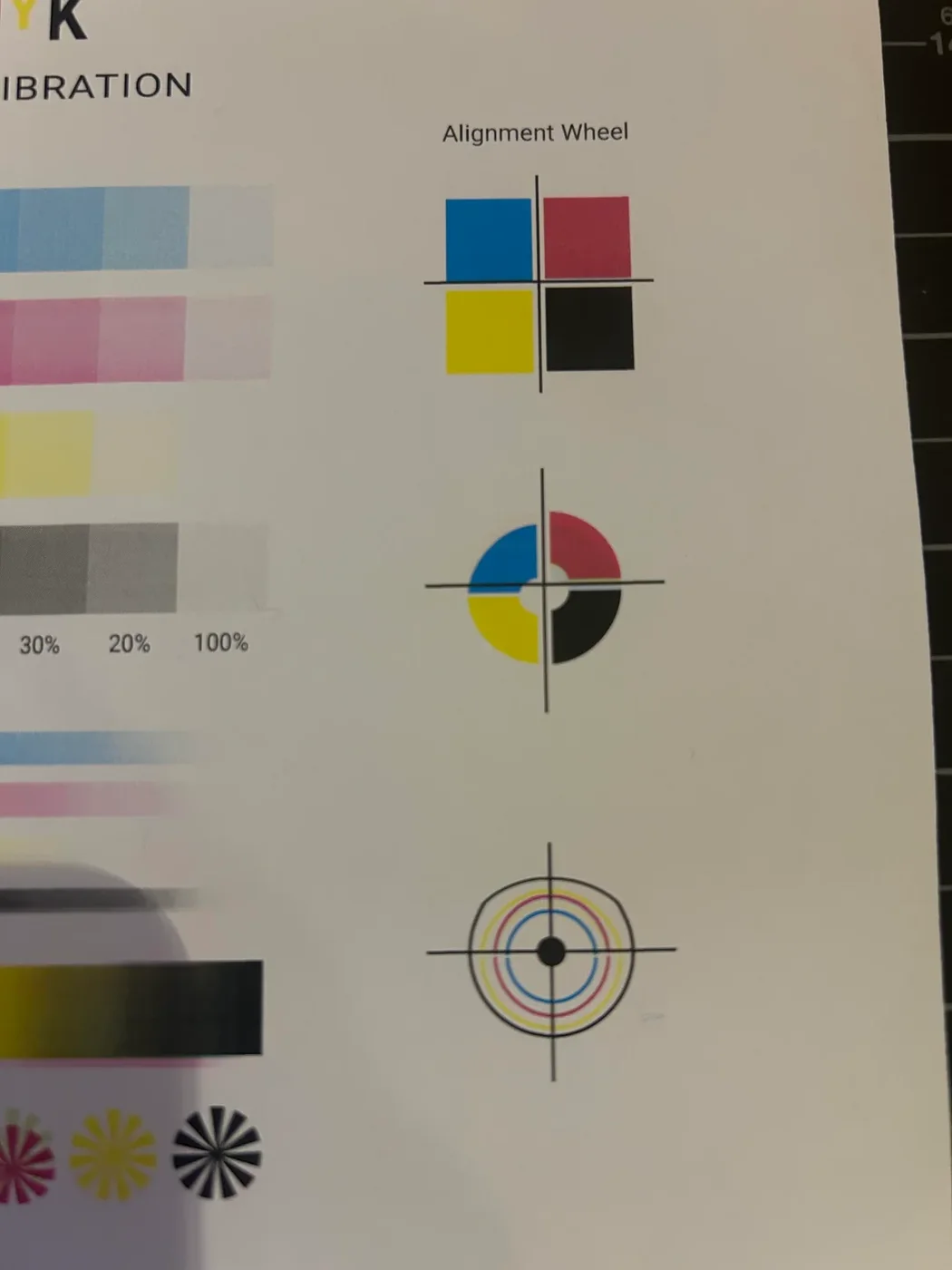
Use a controlled alignment grid before and after the printer's model-appropriate calibration routine.
How the Test Sheets Are Designed
The site uses purpose-built browser patterns rather than random photographs. The design goal is repeatability: solid blocks, stepped tones, gradients, fine lines, grids and text samples should make specific defects easier to see.
Controlled patterns
Each printable area uses known reference elements so you can compare one print with another after changing a setting or maintenance step.
Inkjet and laser separated
Nozzle cleaning advice is not applied to laser printers, while drum, toner and fuser-style symptoms are kept in laser guidance.
A4 and Letter checks
Print CSS is designed to keep the diagnostic sheet separate from navigation and article content, with guidance on scaling where dimensions matter.
Official references
Brand maintenance guidance links to manufacturer support where menu names, cleaning limits and built-in reports vary by model.
When a Test Print Is Worth Doing
A test sheet is most useful when you need a repeatable before/after reference, not simply more pages to print.
After changing ink or toner
Confirm that output is present and even before you use expensive paper or print a long document.
When a visible defect starts
Capture the symptom on a controlled pattern before changing settings, cleaning or replacing a consumable.
After alignment or calibration
Reprint the same grid or line pattern so you can compare whether the adjustment actually changed the result.
Before an important job
A one-page check can catch obvious color, density or alignment issues before labels, photo paper or stationery are wasted.
When an inkjet has been idle
Start with a nozzle-style pattern. Run maintenance only if the result and your model's instructions support it.
When a laser defect repeats
Use a page with large coverage areas and fine details to see whether spots or marks repeat at a regular interval.
Printing, PDF and Maintenance Guides
Use the browser tools directly, download the PDF versions, or read the printing and maintenance decision guides before changing printer settings.
Frequently Asked Questions
If the problem is unclear, start with the color test page for a broad overview or the black and white test for a mono printer. If you already see a specific symptom, use the symptom guide first.
No. Inkjet printers can have nozzle and ink-delivery problems, while laser printers use toner, imaging drums/units, transfer components and fusers. The site separates those workflows so an inkjet cleaning instruction is not presented as a laser fix.
Usually not by itself. A controlled pattern can narrow the possibilities and show whether a change improved the output. Use your exact printer model documentation before replacing parts or running model-specific maintenance.
Yes. You can use the browser print dialog and choose Save as PDF, or use the PDF download page.
Printer families differ even within one brand. The brand pages now separate important technology differences and link to official support references instead of claiming that one menu path or diagnosis applies to every model.